
Business Email Compromise: How Hackers Hijack Email Accounts and Steal Invoice Payments


Your next invoice could arrive from a trusted vendor, from their real email account, within an existing conversation—and still be fraudulent. Business Email Compromise (BEC) uses trust in business relationships to steal money and sensitive information.
What Is Business Email Compromise?
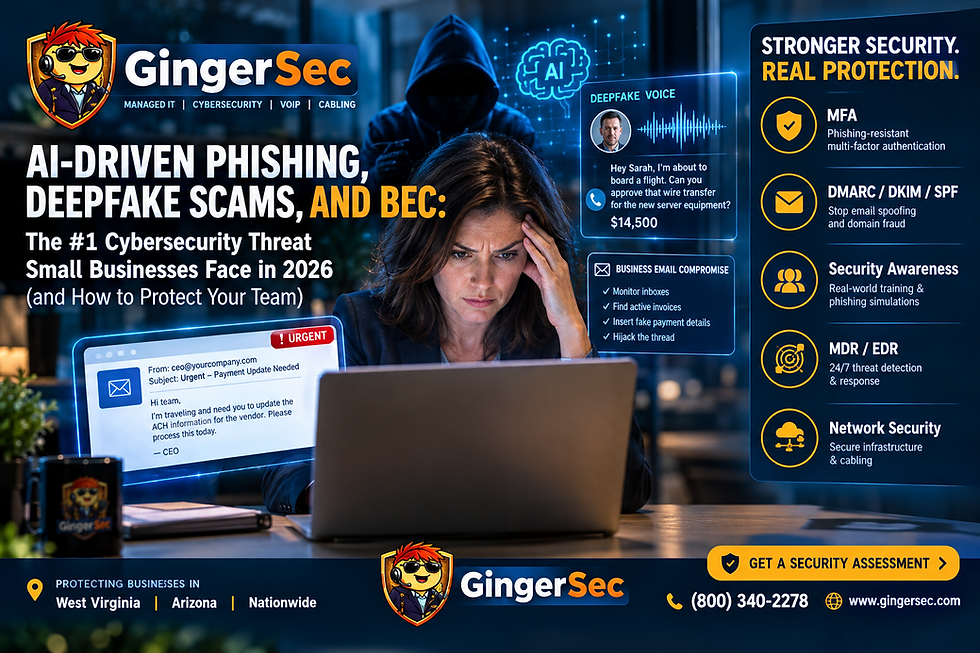
Business Email Compromise is a cyberattack in which criminals impersonate a trusted person or gain control of a legitimate mailbox to request fraudulent payments or confidential information. Related techniques include vendor email compromise, invoice redirection fraud, account takeover, executive impersonation, and email thread hijacking.
How Invoice Fraud Works
First, attackers obtain access through phishing, reused passwords, stolen sessions, malicious applications, or other compromised credentials. They then search messages for invoices, ACH instructions, vendors, customers, and accounts payable conversations.
Once they find an upcoming payment, they may reply in the existing email thread with new banking instructions. The sender address, invoice number, and prior messages can all be genuine—even though the new instructions come from a criminal. A payment may then be diverted to an attacker-controlled account.
Why Traditional Email Checks Can Miss It
An email sent through a compromised legitimate account may pass SPF, DKIM, and DMARC checks. A correct sender address, familiar signature, and previous conversation history do not prove a payment request is safe. Organizations need independent payment verification and account monitoring.
10 Ways to Defend Your Business
1. Require multifactor authentication on all business email accounts, ideally phishing-resistant passkeys or FIDO2 security keys.
2. Verify every change to vendor banking details using a previously known telephone number, never the number provided in the email requesting the change.
3. Use advanced email security to detect phishing, impersonation, malicious links, and suspicious communication patterns.
4. Monitor Microsoft 365 or Google Workspace sign-ins, forwarding rules, OAuth permissions, unusual outbound messages, and unexpected account changes.
5. Train accounting teams, office managers, and executives to challenge urgent payment requests, even when they come from familiar addresses.
6. Require independent dual approval for high-value payments and banking detail changes.
7. Use unique strong passwords and a password manager; disable legacy authentication where possible.
8. Configure SPF, DKIM, and DMARC to reduce domain spoofing, while recognizing they cannot prevent fraud from a compromised legitimate mailbox.
9. Limit administrative privileges and third-party application access to what employees actually need.
10. Work with a managed security services provider to assess risk, monitor suspicious activity, and improve incident readiness.
What to Do If an Email Account Is Compromised
Immediately contain access, reset credentials using a trusted process, revoke active sessions, and investigate mailbox rules and third-party application permissions. Preserve emails, message headers, and sign-in and audit logs. Determine which customers and vendors may have received fraudulent instructions, and notify them through verified channels.
If money has already been transferred, contact your bank's fraud department immediately to request recovery and report the incident to the FBI Internet Crime Complaint Center at IC3.gov. Review applicable legal, contractual, insurance, and regulatory notification obligations.
How GingerSec Helps
GingerSec, LLC supports businesses in West Virginia, Arizona, and beyond with managed IT services, Microsoft 365 security, identity and access management, multifactor authentication, email security, security assessments, cyber insurance readiness, and incident response assistance.
Protect Your Business Before the Next Fraudulent Invoice
Don't wait for a compromised mailbox or diverted payment to expose gaps in your defenses. Request a Free IT Risk & Cyber Insurance Readiness Review from GingerSec.
Call 1-(800) 340-2278
email Contact@GingerSec.com
https://www.gingersec.com/contact to get started.
GingerSec, LLC — Managed IT Services and Cybersecurity for West Virginia, Arizona, and beyond. Security controls reduce risk but cannot guarantee prevention of every attack.


Comments